User Permissions
User Permissions
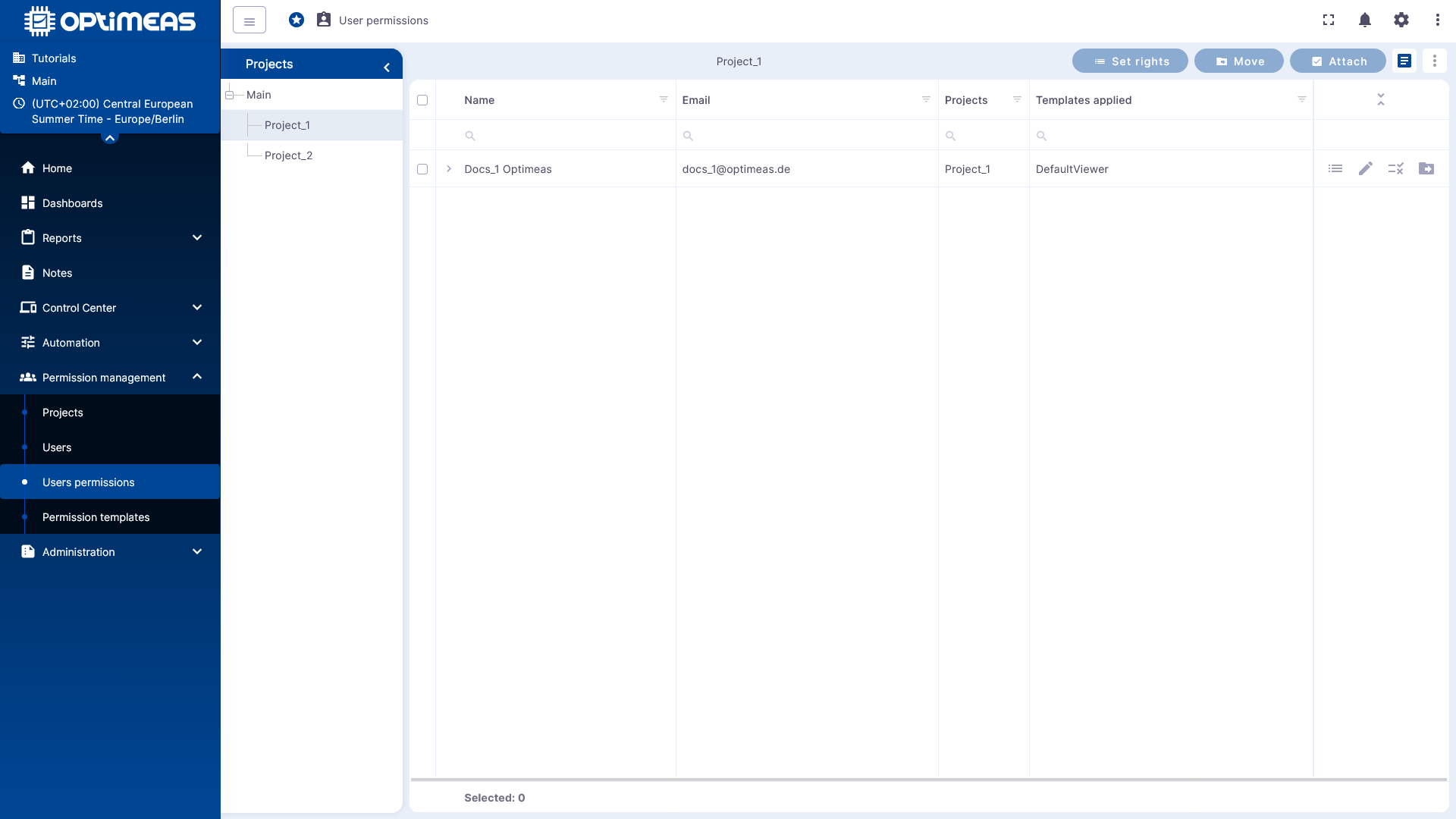
In the User Permissions section, the specific permissions for individual users for a selected project are defined. Here, you not only manage which users exist in the tenant, but also which rights these users actually receive within a specific project structure.
Project-Specific Permission Assignment
Selection begins on the left side with the desired project. After selecting the project, the table displays which users are assigned to this project and which permissions or templates are currently applied to them.
This allows you to always review and edit permission assignments within the specific context of a project.
Select User and Set Permissions
Permissions can be adjusted directly for the selected user. The interface provides several actions for this:
- Set rights to define individual permissions
- Attach to assign users to a project
- Move to transfer assignments to other projects
The table also shows whether a permission template has already been applied to a user.
Individual Rights and Templates
User rights can either be set directly as an individual configuration or assigned via a template. Templates simplify the recurring assignment of standardized permission profiles, while individual rights are suitable for exceptions or project-specific special cases.
When rights are adjusted manually, the user is no longer defined solely by a standard profile, but by their own specific rights configuration.
Practical Recommendation
It makes sense to first establish a clear project structure and assign users to these projects. Only then should the actual rights be assigned.
For standard cases, assignment via templates is recommended. Individual permissions should be used specifically where users need to deviate from the standard role.