Projects
Projects
Projects in optiCLOUD are used to divide a tenant into logically separate areas. This structure serves as the basis for organizing content in a targeted manner and assigning access rights on a project-specific basis.
A project can represent, for example, a location, a customer area, a technical unit, or an organizational sub-area.
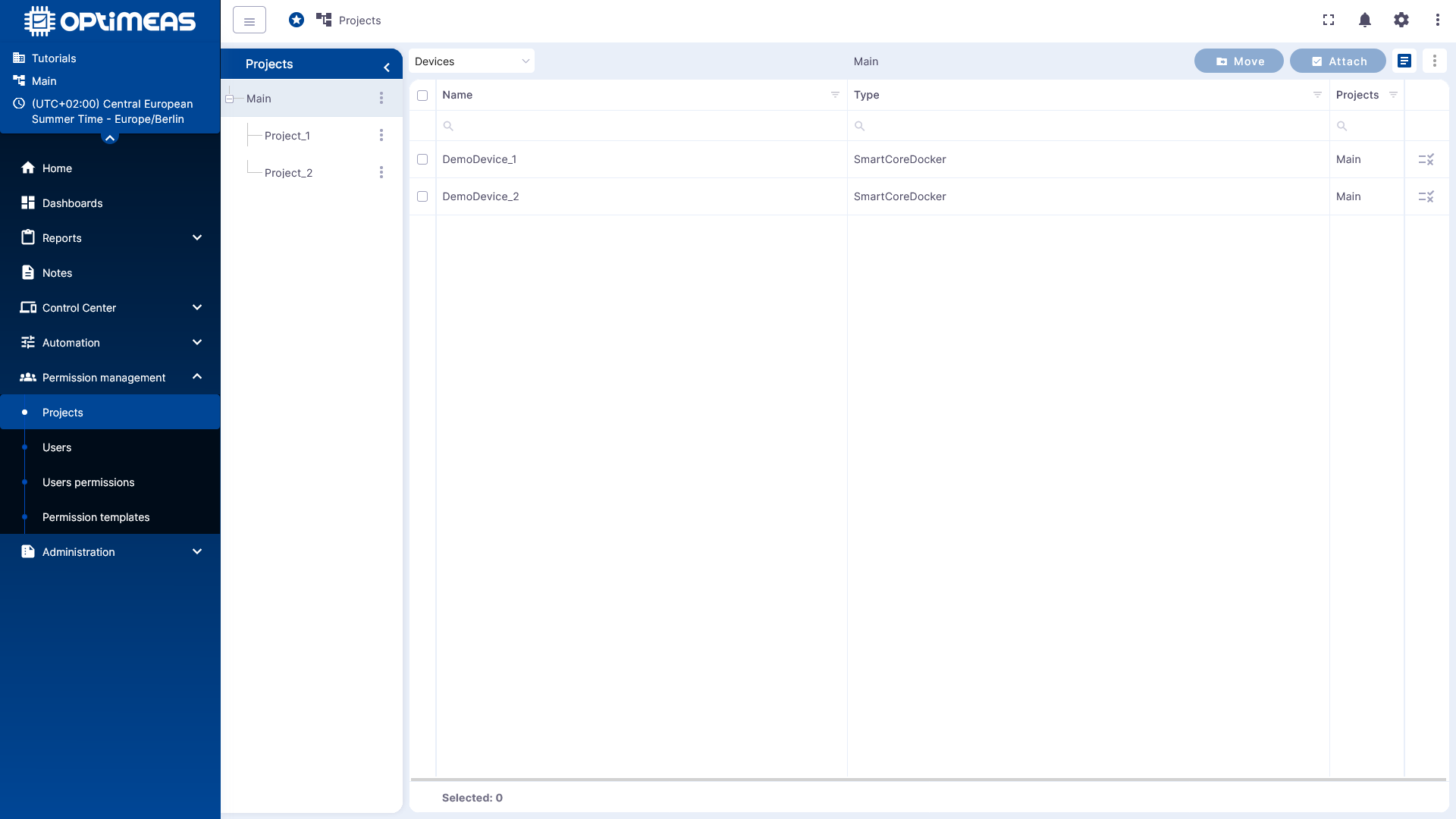
Project Structure
The created projects are displayed hierarchically in the left sidebar. This allows for the representation of nested project structures, such as main projects with multiple subprojects.
This structure helps to clearly organize larger tenants and manage permissions neatly along functional or organizational boundaries.
Project Contents
For the currently selected project, a table with the assigned entities is displayed on the right-hand side. The dropdown menu above the table allows you to specify which type of entries should be displayed.
Selectable entities are:
- Devices
- Device systems
- Dashboards
- Users
This allows you to quickly check which content is already assigned to a specific project.
Assign and Move
You can select multiple entries at once using the multi-select feature in the table. You can then assign them to a project or move them between projects using the available actions.
- Attach to assign selected devices or users to the current project
- Move to move existing assignments to another project
This way, the project is not only used for structuring but also actively serves as an organizational level for rights management.
Significance for Permissions
Projects are closely linked to the rest of the permission management system. User permissions are not assigned generically but are defined in relation to a specific project.
Therefore, it is recommended to plan the project structure clearly from the outset and align it with actual responsibilities. A clear project structure facilitates both administration and the subsequent assignment of user permissions.