User Menu
User Menu
The User Menu consolidates personal user settings as well as general information about the current tenant. Unlike the administrative areas, this menu primarily focuses on the user’s own profile, tenant-related master data, and supplementary information relevant to the currently logged-in user.
The contents of the User Menu can be divided into two sections:
- Profile for the logged-in user’s personal settings
- Tenant information for general information and contacts for the current tenant
In addition, the API Description is also accessible via the User Menu.
Profile
In the Profile section, the user manages their personal settings.
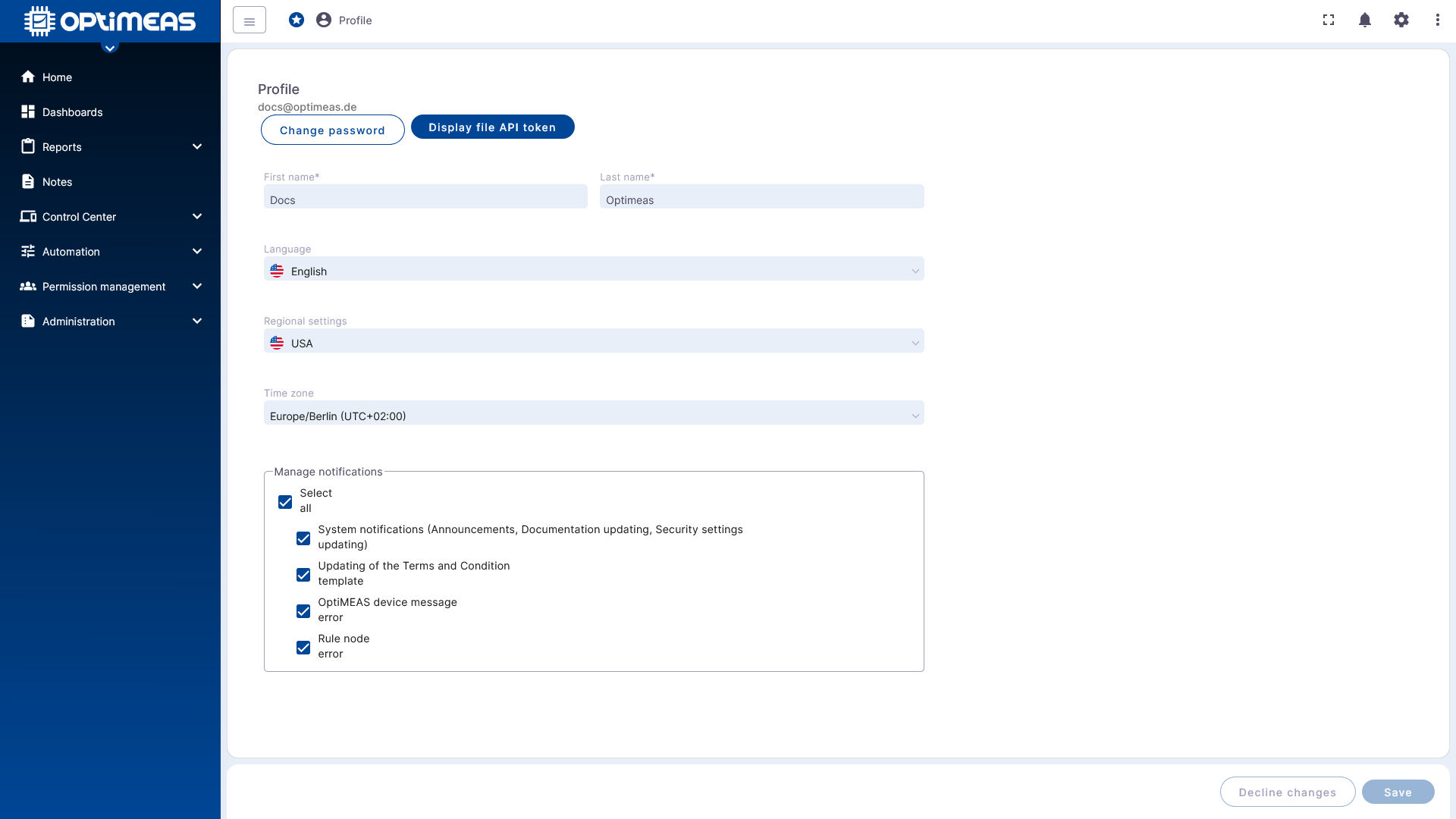
Here, the following information, among other things, can be maintained or viewed:
- First name
- Last name
- Language
- Regional settings
- Time zone
- Personal notification settings
Additionally, functions for changing the password and displaying a file API token are available.
The notification settings allow users to specify which system events they wish to be notified about. Depending on the platform configuration, these may include, for example:
- System notifications
- Changes to Terms and Conditions templates
- Device or system error messages
- Errors from Rule Nodes
This makes the Profile section the central hub for all user-specific settings that apply only to your own account, rather than tenant-wide.
Tenant Information
Tenant information displays master data and organizational information for the currently used tenant.
Details
The Details section displays basic tenant data.
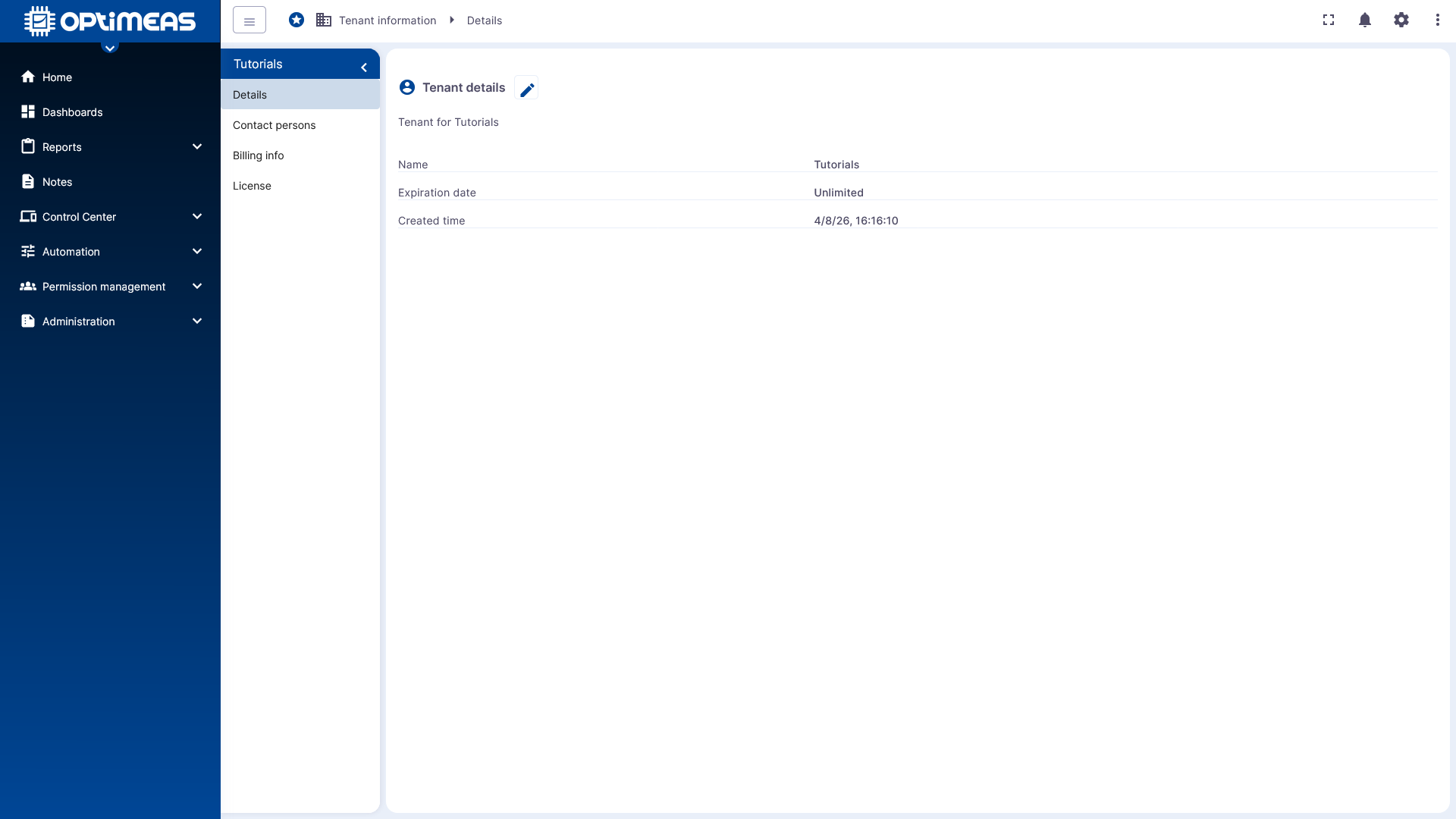
Information includes:
- Tenant name
- Expiration date
- Creation date
Depending on your role, you can not only view this information but also edit it.
Contact Persons
The Contact Persons section is used to manage the tenant's administrators.
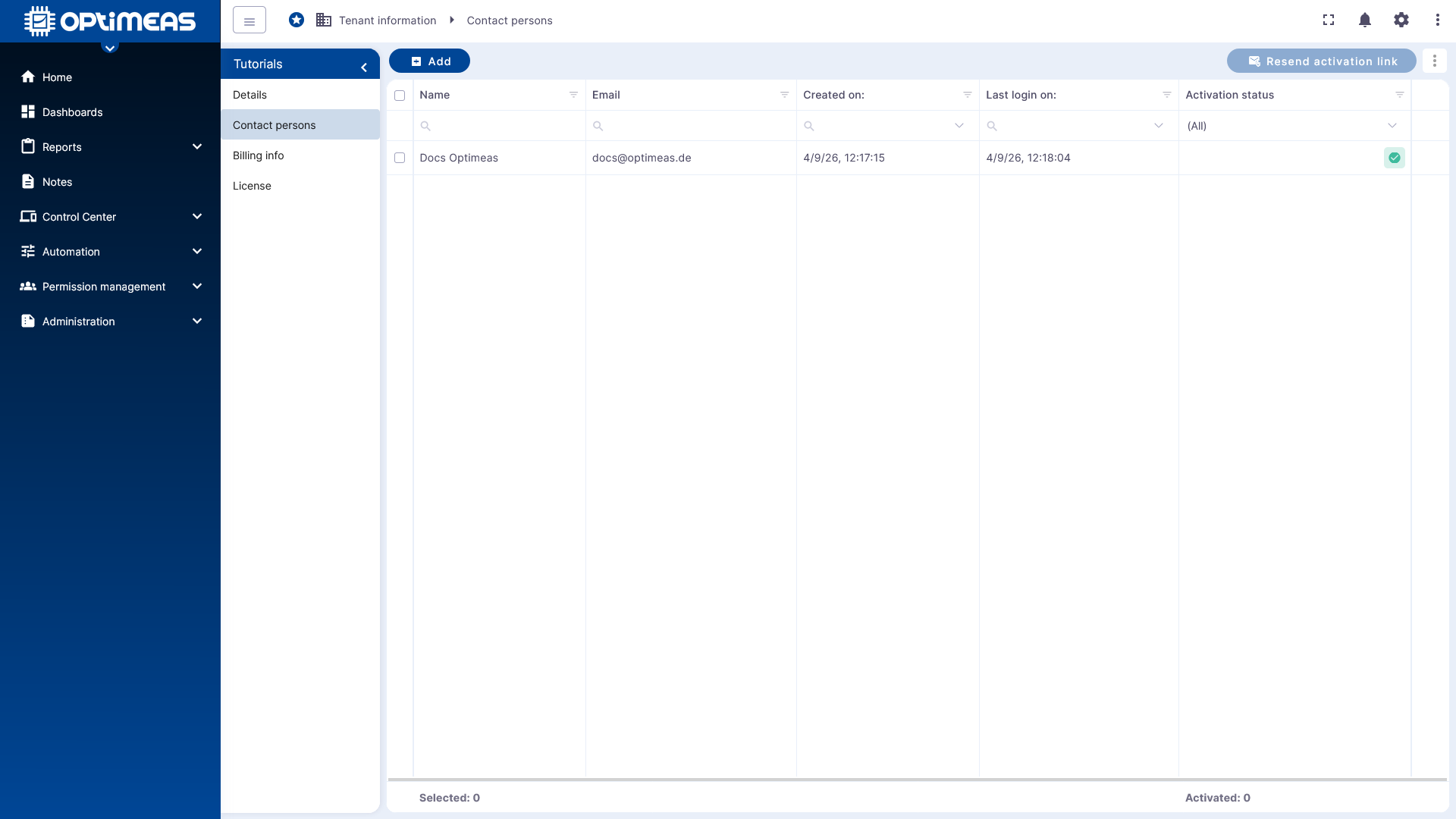
These individuals have a special role within the tenant:
- They are the administrators of the tenant.
- They are not subject to any restrictions on permissions.
- They therefore do not appear in the normal user list under Users.
The reason for this is that Contact Persons cannot be restricted via regular permission management. They hold a special administrative status and are therefore treated separately from regular users.
The table displays the name, email address, creation date, last login, and activation status. Depending on the interface, additional actions such as inviting or resending an activation link may be available.
Billing Info
The Billing Info section contains billing-related master data for the tenant.
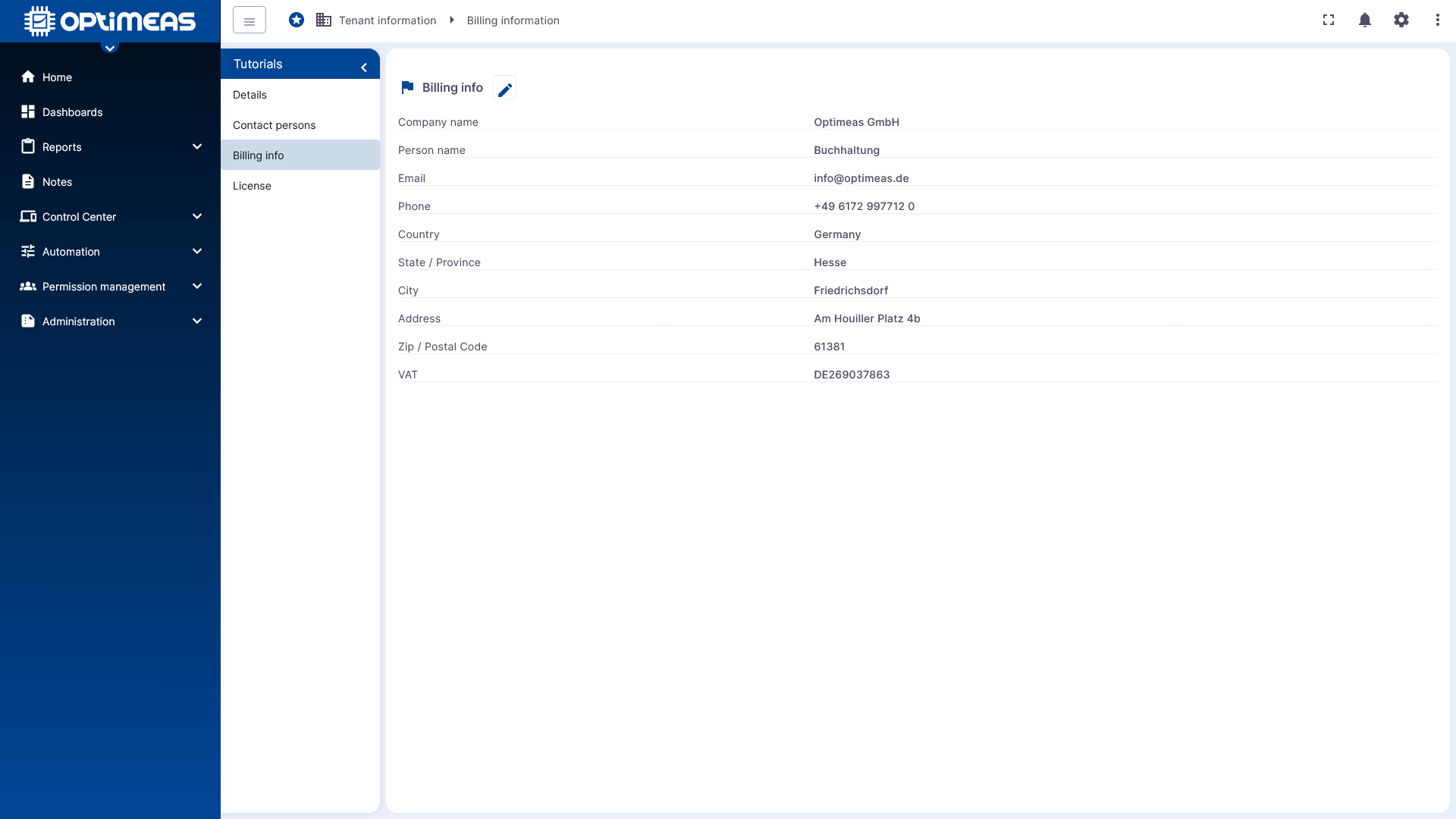
This includes:
- Company name
- Contact person
- Email address
- Phone number
- Country
- State or region
- City
- Address
- ZIP code
- VAT ID
This information is primarily relevant for contractual, organizational, or billing-related processes.
License
The License section displays the tenant’s license-related limits and usage data.
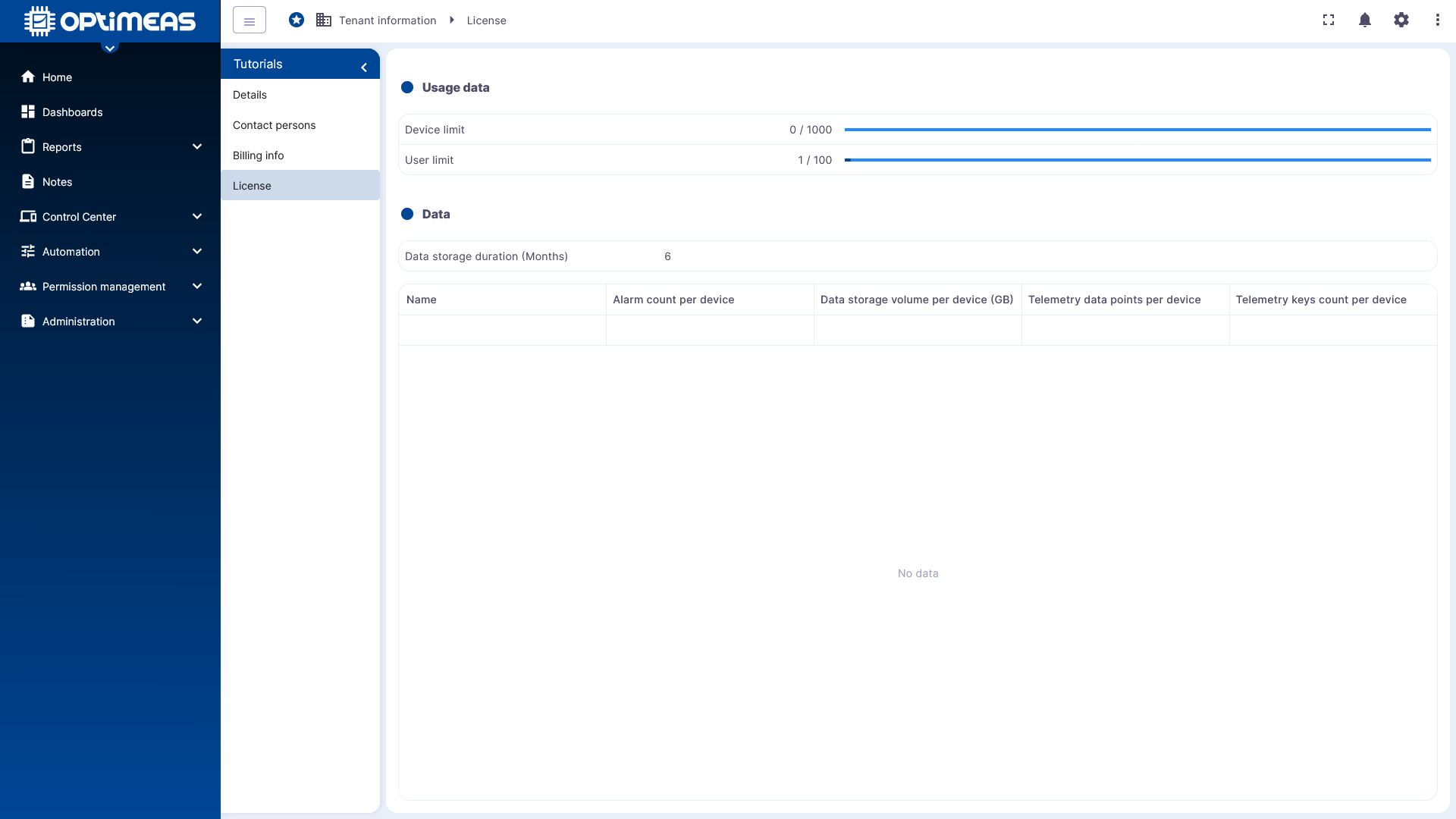
Contents include:
- Device limits
- User limits
- Data retention period
- Additional license-related metrics per device
Depending on the license model, upper limits for the number of alarms, data volume, telemetry data points, or telemetry keys may also be visible.
This section helps you assess the tenant’s current usage relative to the licensed limits.
API Description
The API Description provides access to the technical description of the available REST interfaces.
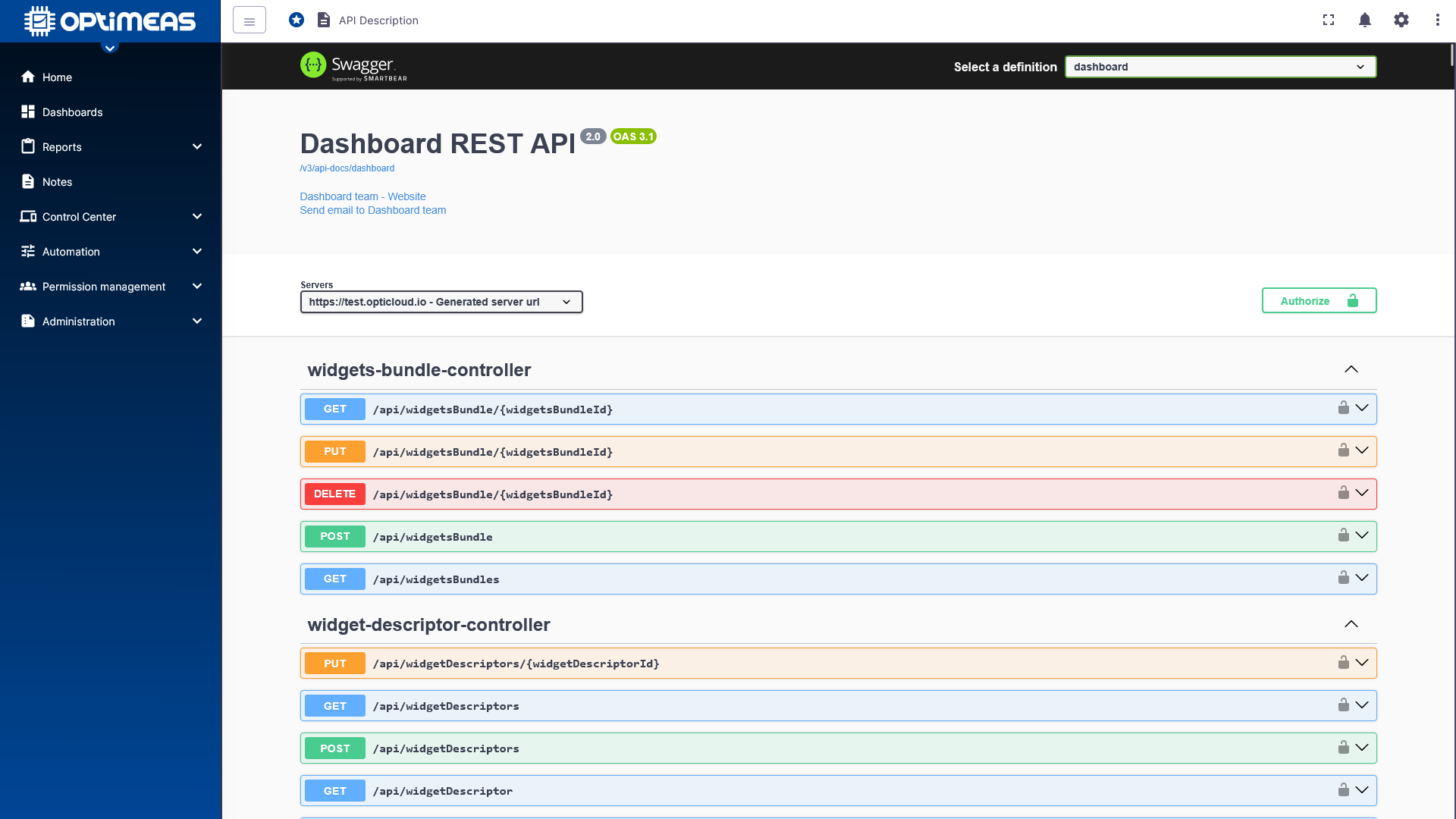
The information is presented in an interactive API documentation based on Swagger or OpenAPI. There, you can view available endpoints, HTTP methods, parameters, and response formats.
This section is therefore particularly suitable for technical users who are developing integrations or wish to programmatically connect to the platform.
Classification
The User Menu combines personal account settings with tenant-related information. While the Profile displays the individual view of the logged-in user, Tenant information provides the organizational framework of the current tenant.
It is particularly important to distinguish between regular users and Contact Persons: Contact Persons are tenant administrators with an unrestricted special role and are therefore handled separately from regular user management.