Notes
Notes
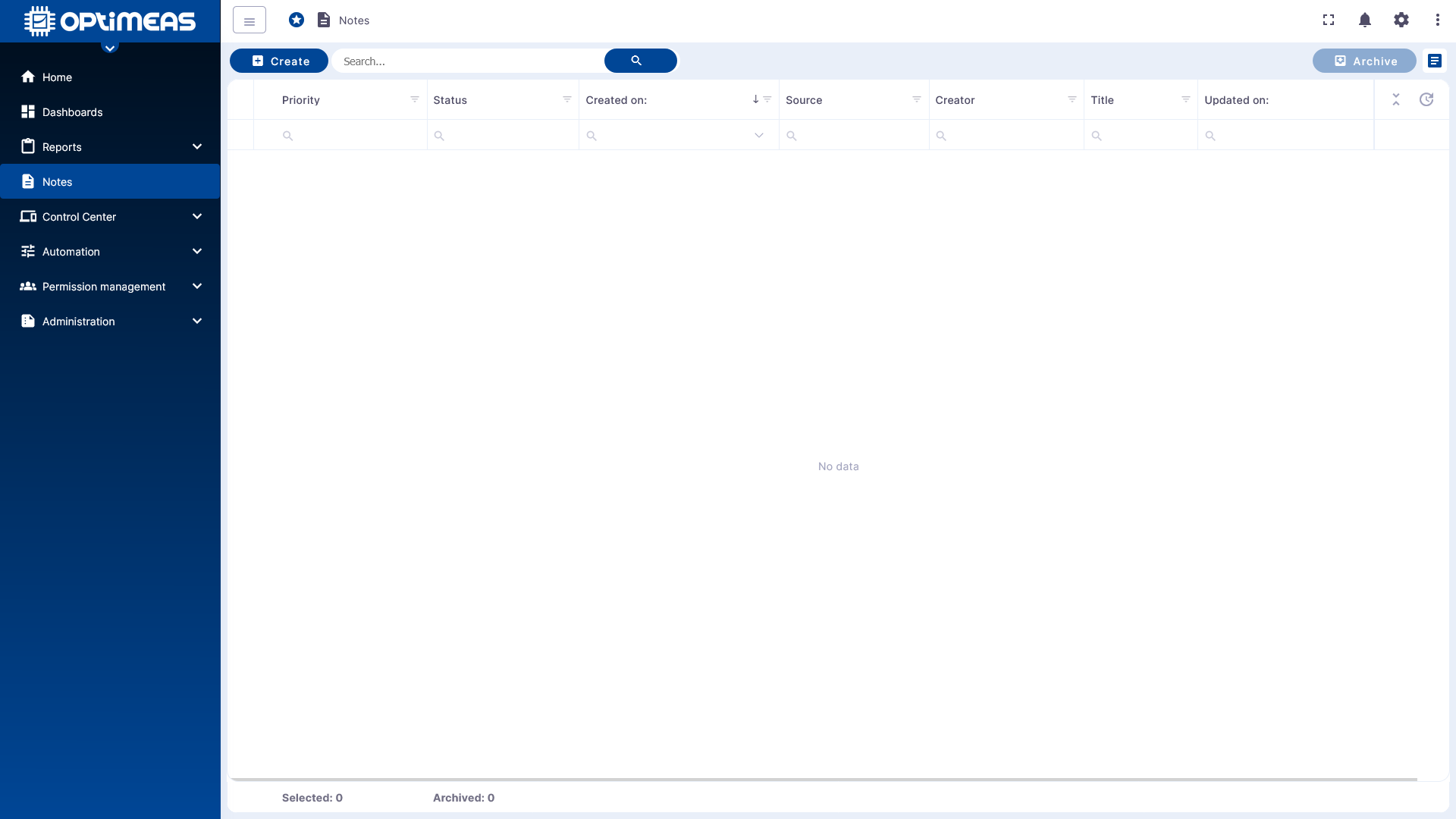
In the Notes section, information, observations, and work instructions can be documented directly in optiCLOUD. Notes are ideal for recording knowledge about devices, device groups, or general processes in a structured manner and retrieving it quickly later.
This creates a central, traceable documentation system directly within the platform. This supports service, operations, and collaboration because relevant information does not need to be maintained outside the system.
Areas of Application
Notes can be used wherever additional context is needed for technical or organizational processes, for example:
- Maintenance and service notes
- Issues with devices or systems
- Processing statuses
- Internal documentation on events or measures
Notes can be managed clearly and archived as needed without losing any information.
Create a Note
New notes are created using the Add button in the action bar. This opens the input dialog for a new note.
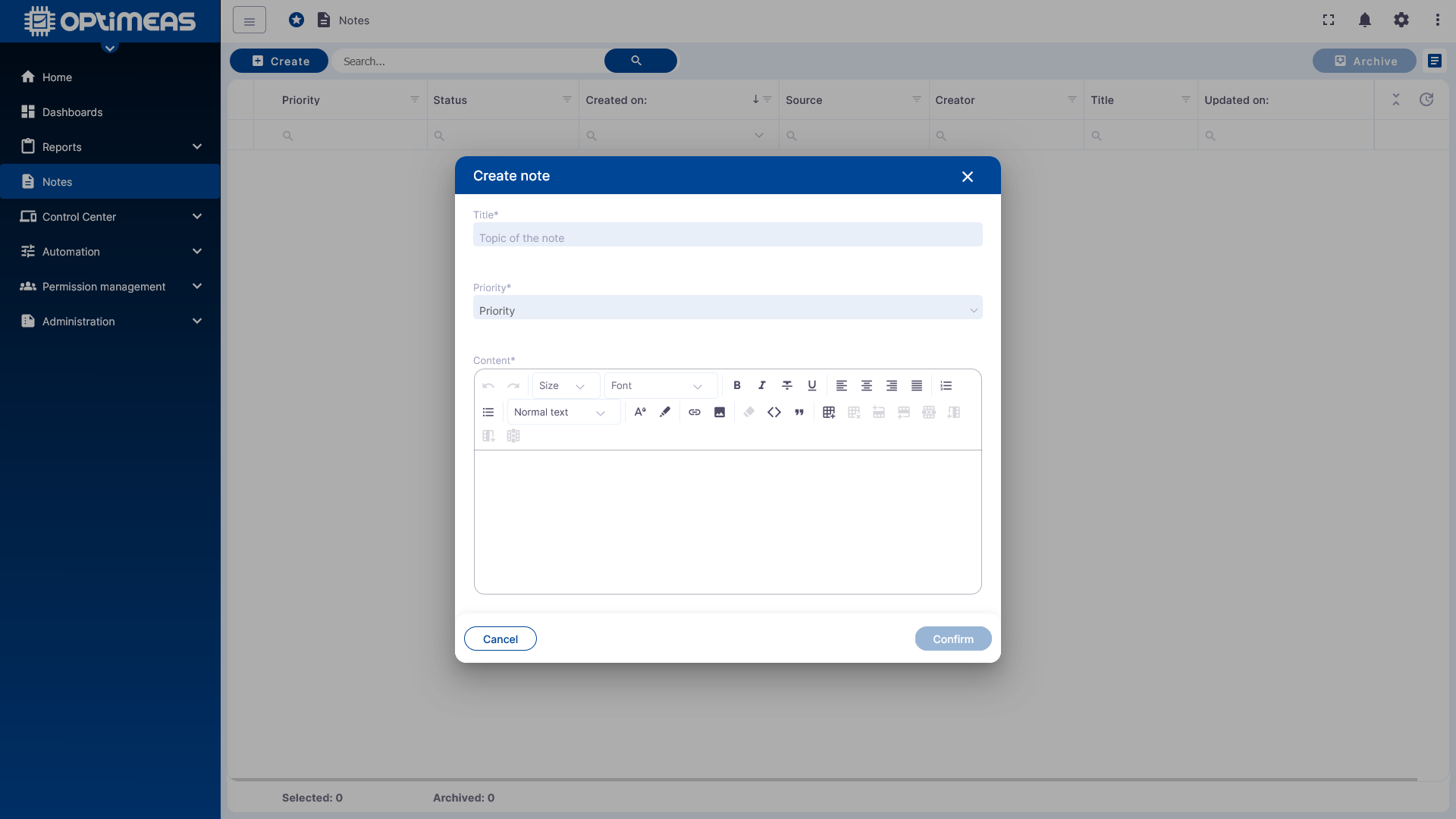
When creating a note, the following information can be entered:
- Title
- Priority, for example, high, medium, or low
- Note content
This allows you to enter both brief notes and more detailed documentation entries directly in optiCLOUD.
Table View and Search
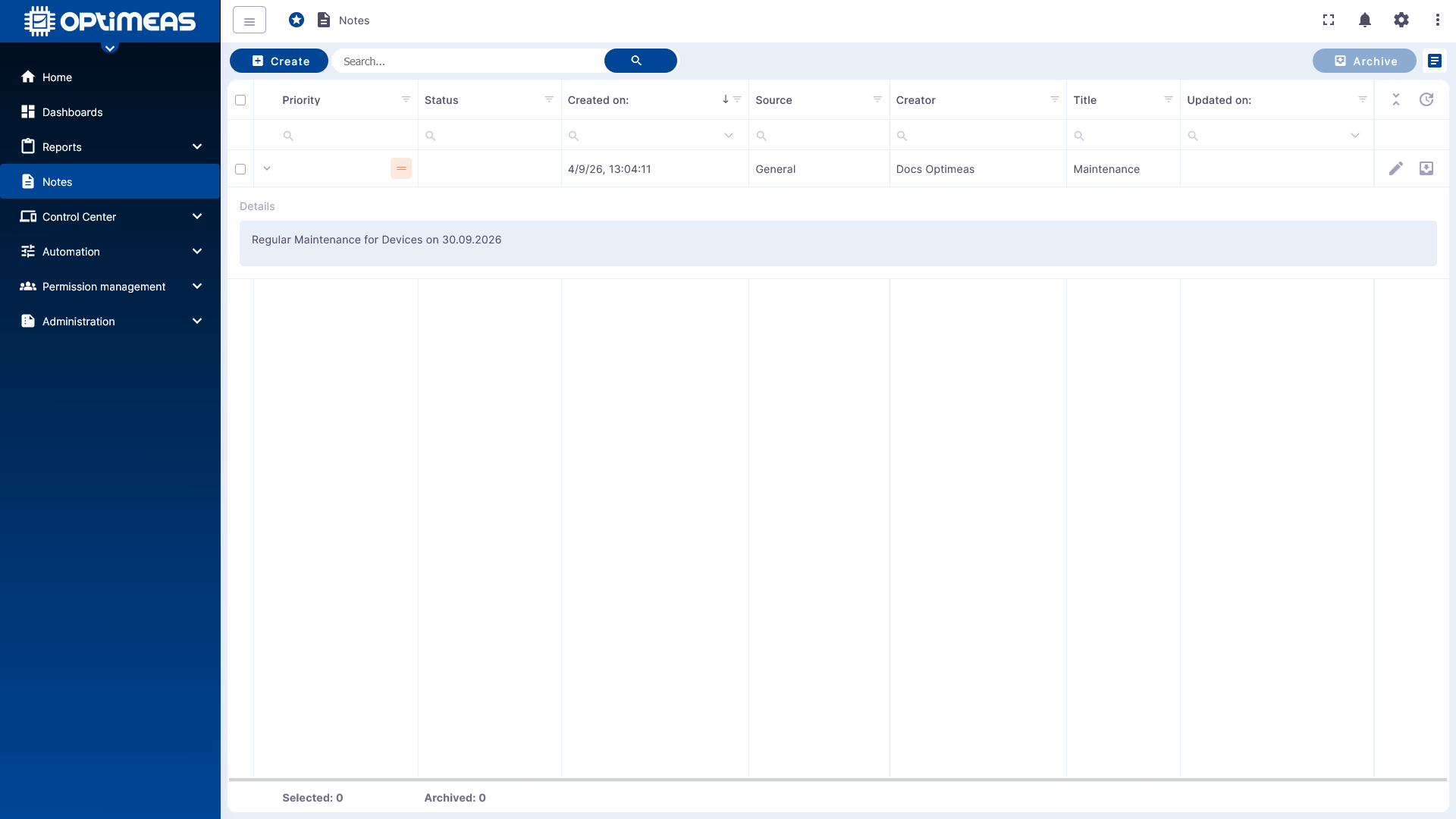
The notes overview is structured as a table and supports the standard optiCLOUD functions for searching, filtering, and sorting. This allows you to quickly narrow down even large numbers of notes.
Additionally, individual entries in the table can be expanded to view the content of a note directly in the overview without leaving the main view.
Editing and Archiving
Notes that have already been created can be further edited or archived in the action area of the table. This is helpful when information needs to be added, updated, or removed from the active work view after a task is completed.
Using the multi-select feature in the table, multiple notes can also be archived together. This keeps the overview up to date while older entries remain documented.
Practical Recommendations
Notes are particularly useful when technical observations and work statuses need to be documented directly within the relevant context. A short, clear structure with a meaningful title, appropriate priority, and clearly formulated content is recommended.
This turns the area into a digital service log within optiCLOUD, making information permanently available and traceable for other users.