Home
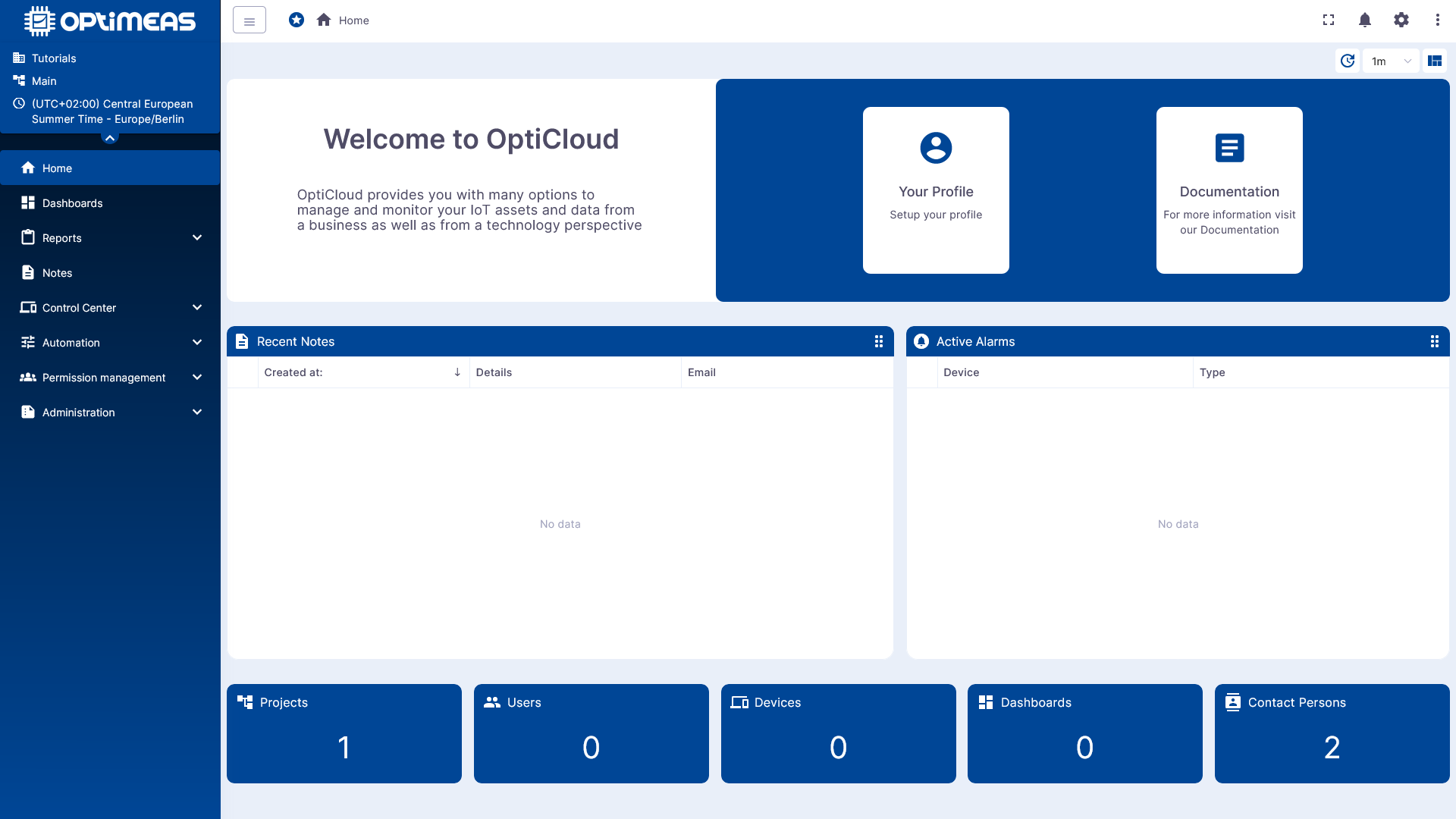
The Home page is the central entry point to optiCLOUD. After logging in, users get a concise overview of important information about their tenant and quick access to frequently used features.
Purpose of the Home Page
The Home page is designed as a personal overview page. It aggregates content from various areas of optiCLOUD and displays it in the form of widgets. This allows relevant information to be viewed immediately after logging in, without first having to navigate to individual functional areas.
The contents of the home page are:
- current notices and entry points
- new notes
- active alerts
- key metrics for central objects such as projects, users, devices, or dashboards
Page Structure
The home page consists of a freely customizable widget layout. Depending on the configuration, widgets can be positioned differently and displayed in a different order.
The displayed interface is divided into several sections:
- The widgets are displayed in the central content area.
- Functions for refreshing and controlling the layout are available in the upper-right area.
- Using the left navigation, users can go directly to other functional areas such as Dashboards, Reports, Notes, Control Center, API, Automation, Permission Management, Administration, Settings, and User Menu.
Widgets on the Home Page
The home page uses widgets to display various information in a compact format. Which widgets are displayed depends on the layout configuration and the current system status.
The widget types visible in the example view are:
| Widget | Description |
|---|---|
| Welcome / Getting Started | Displays a short introductory text as well as direct access options, for example to the user profile or documentation. |
| Recent Notes | Lists recently created or updated notes, providing a quick overview of new entries. |
| Active Alarms | Displays currently pending alarms from the system. |
| KPI Tiles | Displays key performance indicators for important objects such as projects, users, devices, dashboards, or contacts. |
Control Functions
In addition to the content widgets, the home page offers several functions for controlling the display:
- Manual Refresh immediately reloads the displayed information.
- Automatic Refresh sets the interval at which the content is automatically updated.
- Layout Selection or Layout Reset allows you to choose a different arrangement of the widgets or revert to a default layout.
The settings for the interface’s appearance and behavior are managed in the Settings section.
Typical Use Case
The Home page is particularly well-suited as a daily entry point to optiCLOUD. Here, users can check at a glance
- whether there are any new alerts,
- whether there are any new notes,
- how many central objects are available in the tenant,
- and from which section they would like to start their next task.
Thus, the Home page does not serve as a standalone workspace for a single function, but rather as a central overview and starting point for further navigation within optiCLOUD.