Temperature Alarm Example
Example Temperature Alarm
This example shows a simple rulechain that triggers an alarm as soon as a temperature value exceeds a threshold of 5 °C. If the value drops back to 5 °C or below, the alarm is cleared.
This makes the example well-suited for understanding the basic structure of a rulechain:
- Messages enter the chain
- Multiple nodes check the conditions step by step
- Depending on the result, an alarm is generated or cleared
Overview of the Example Rule
The complete rule chain consists of several nodes connected in sequence.
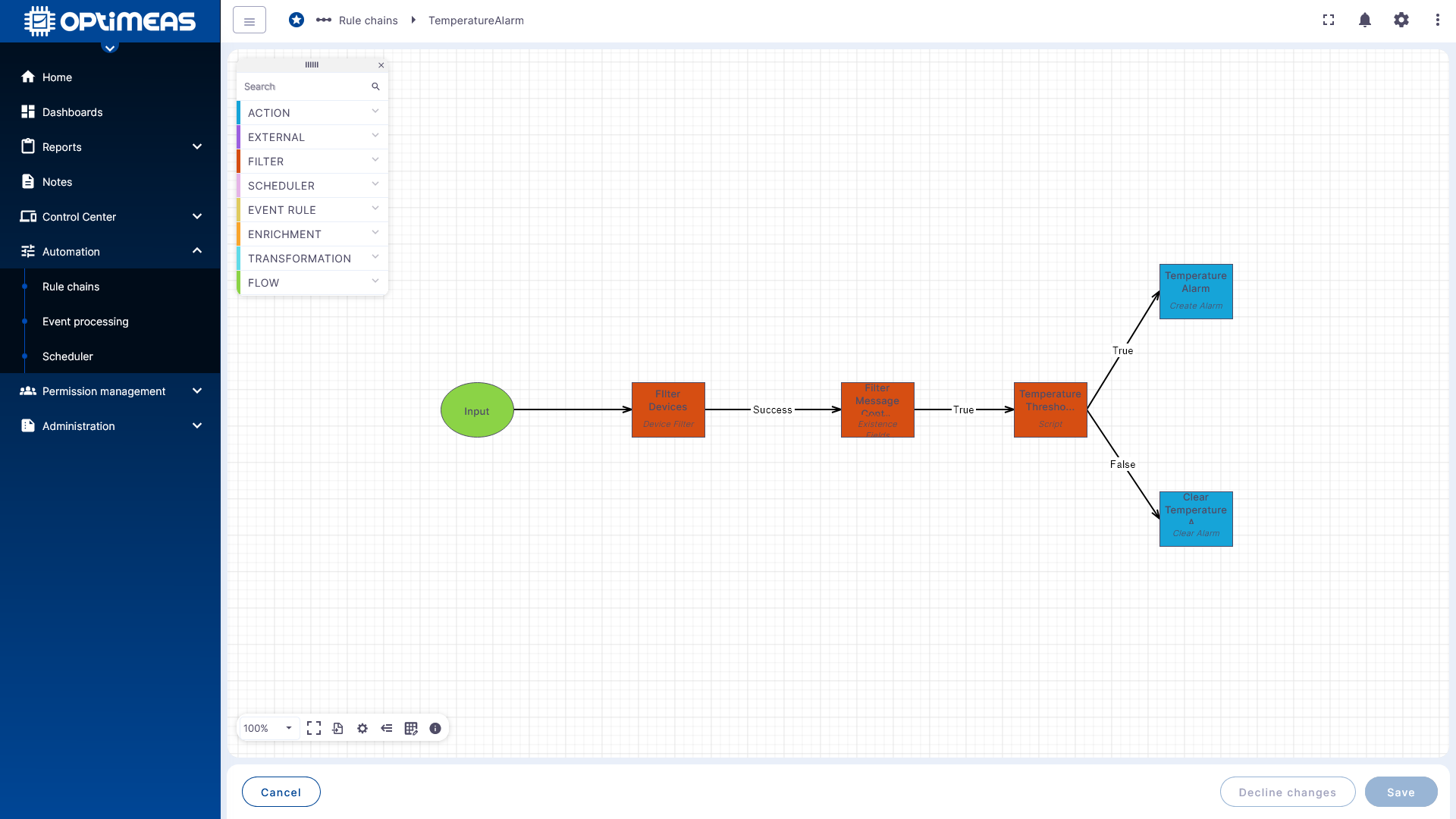
The process is as follows:
- A message enters the rule chain via the Input.
- The Filter Devices node checks whether the message originates from one of the desired devices.
- The Filter Message node checks whether the desired temperature channel is included in the message.
- The Temperature Threshold node evaluates the threshold value.
- If True, an alarm is generated.
- If False, an existing alarm is cleared.
Step 1: Filter Devices
The first content node is the device filter.
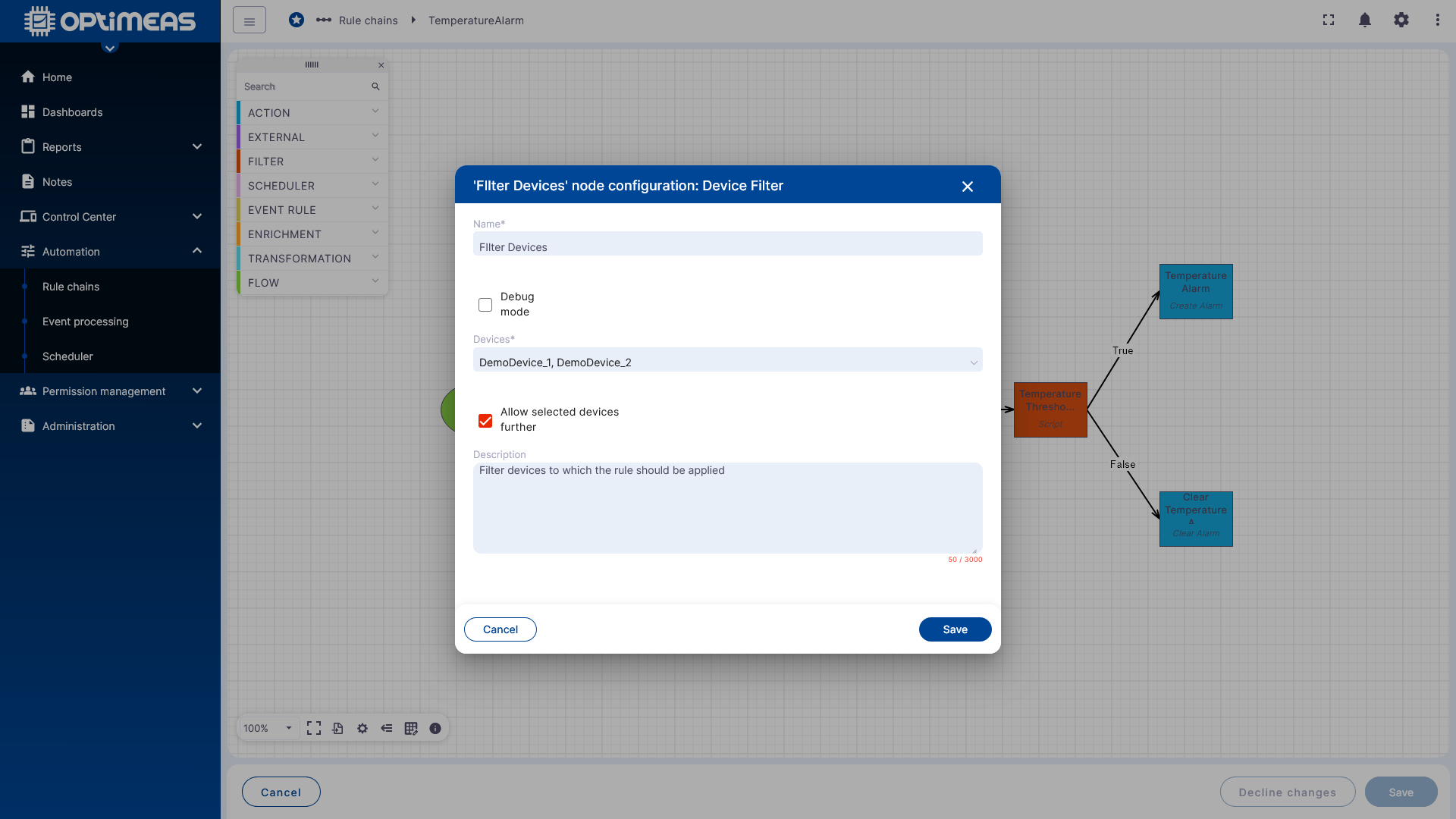
This node requires:
- a name
- the selection of devices to which the rule should apply
In this example, two demo devices have been selected. Only messages from these devices are allowed to continue through the rule chain. Messages from other devices are blocked at this point.
This limits the rule specifically to a defined range of devices.
Step 2: Check message content
In the next step, the system checks whether the incoming message contains the temperature channel to be verified.
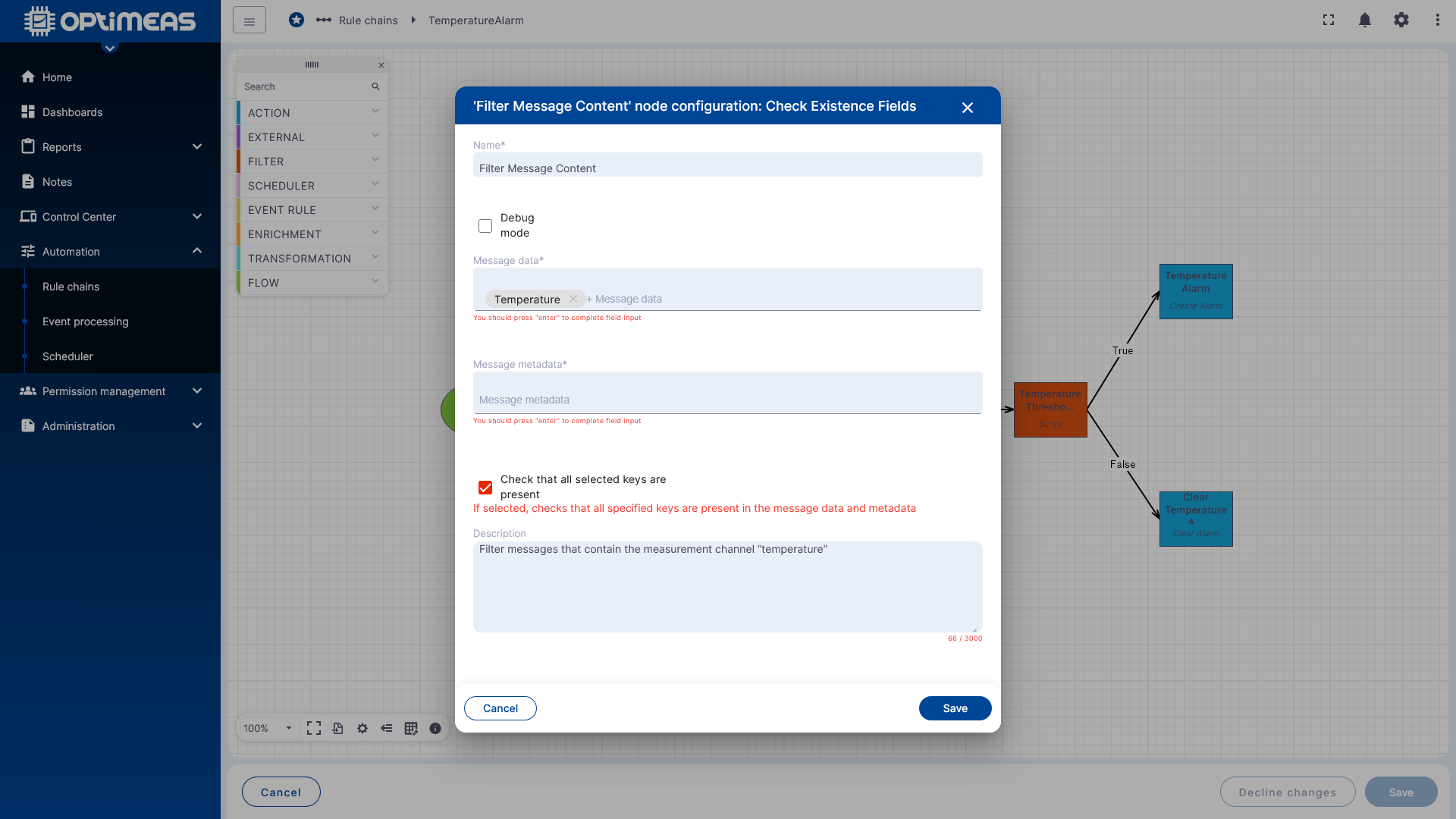
Here, you:
- a name is assigned to the node
- the channel to be checked is selected or manually entered under Message Data
To enter the channel manually, simply type it in and confirm with Enter. Manual entry of the channel to be checked is case-sensitive
The Check that all selected keys are present option ensures that only messages that actually contain the selected key are passed on.
If the channel is missing from the message, processing is terminated at this point.
Step 3: Check threshold with script
This is followed by a script node that checks the actual threshold value.
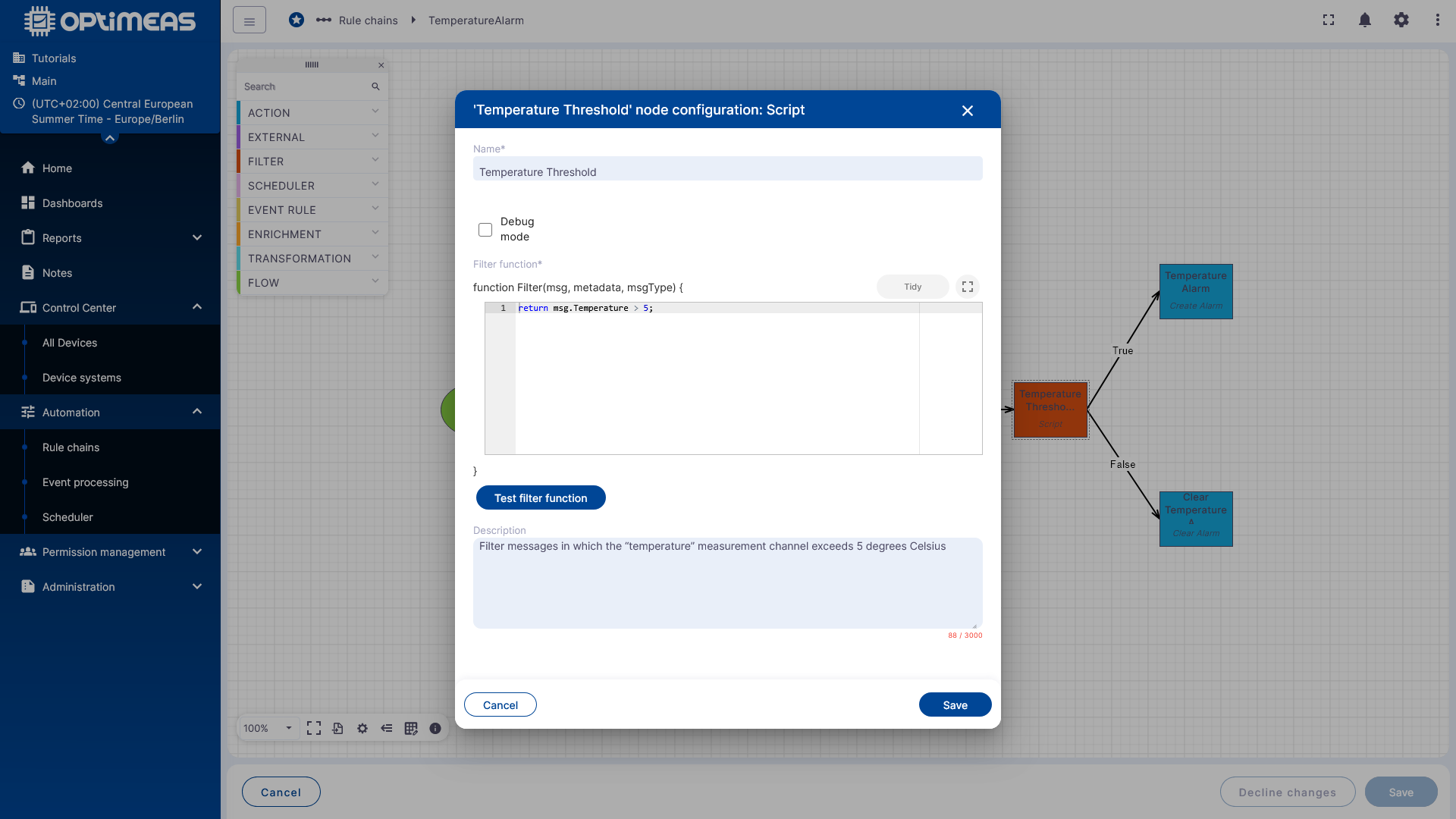
In this example, the logic is intentionally simple:
return msg.temperature > 5;
The script’s statement is:
- True if the temperature value is greater than 5
- False if the value is less than or equal to 5
The node has two outputs accordingly:
- True
- False
This is how the rule chain is split into two business paths at this exact point.
The exact variable name within a script node may vary depending on the node type or context. For the business logic of this example, what matters is that the temperature value is read and compared against the threshold.
Step 4: Generate an alarm
If the condition is met, the message flows through the True path into the alarm node.
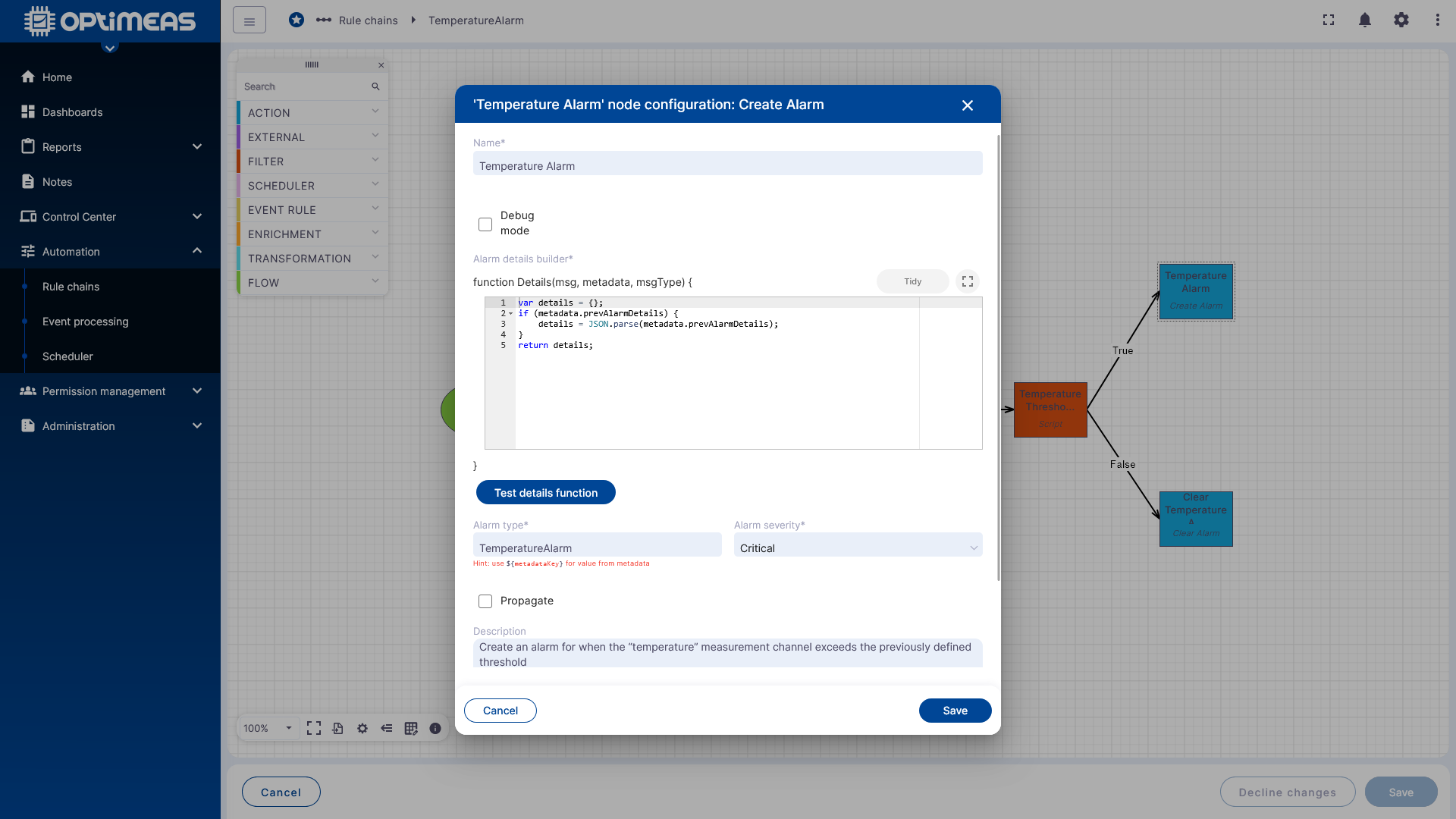
Here you specify:
- which alarm type should be generated
- the severity level of the alarm
In the example, a Temperature Alarm of severity Critical is generated.
Optionally, additional details could be added here, for example:
- the current temperature value
- calculated additional information
- updated alarm metadata
For the basic example, the node is intentionally kept simple.
Step 5: Delete Alarm
If the condition is no longer met, the message follows the False path to the node for clearing the alarm.
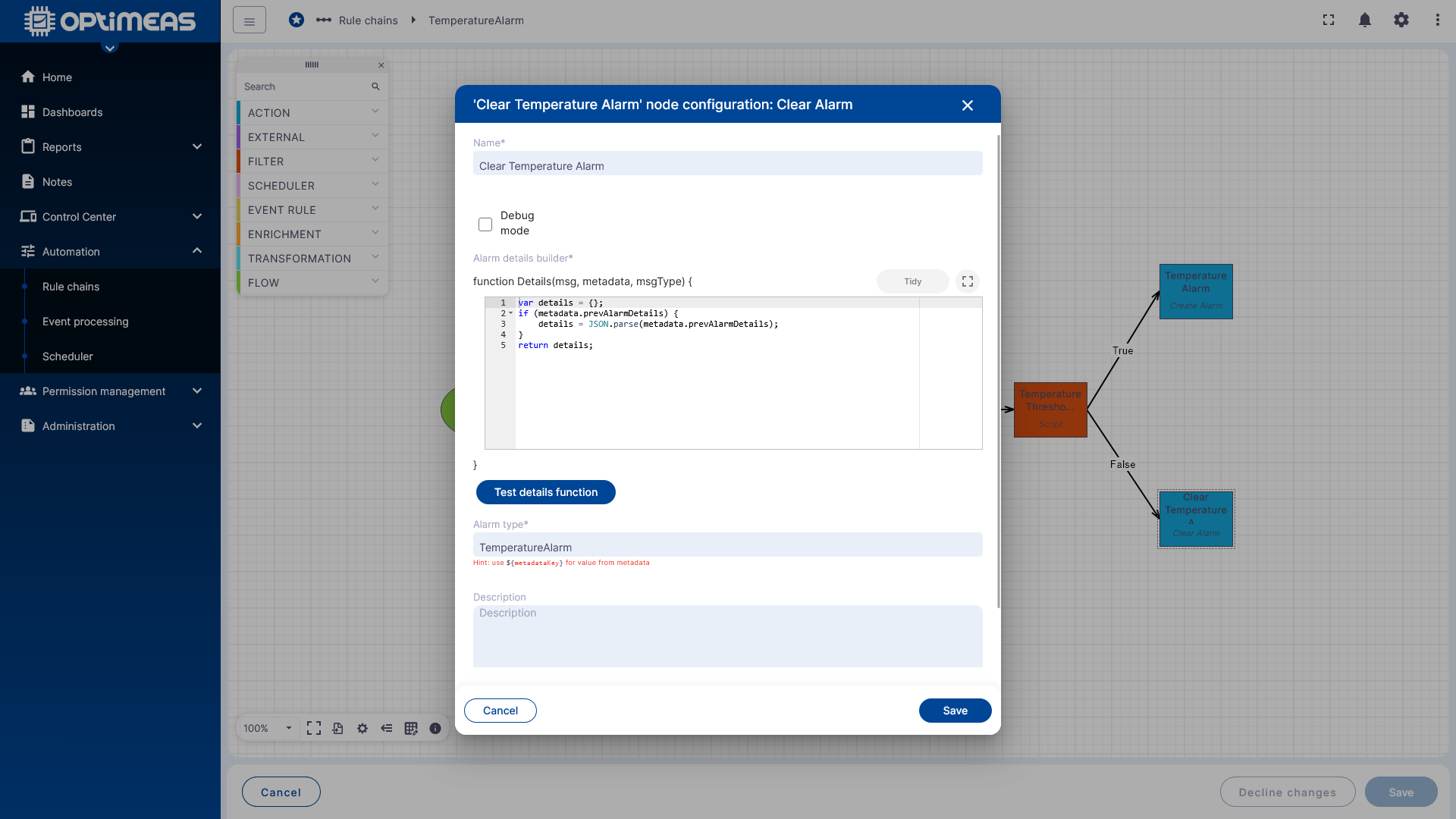
Here, you specify which alarm type should be removed. In this example, it is the same type:
- Temperature Alarm
This closes an active alarm as soon as the temperature no longer exceeds the threshold.
Step 6: Integrate into the Root Rule Chain
To ensure the new rule is actually executed, it must be linked to an active processing chain, i.e., the Root Rule.
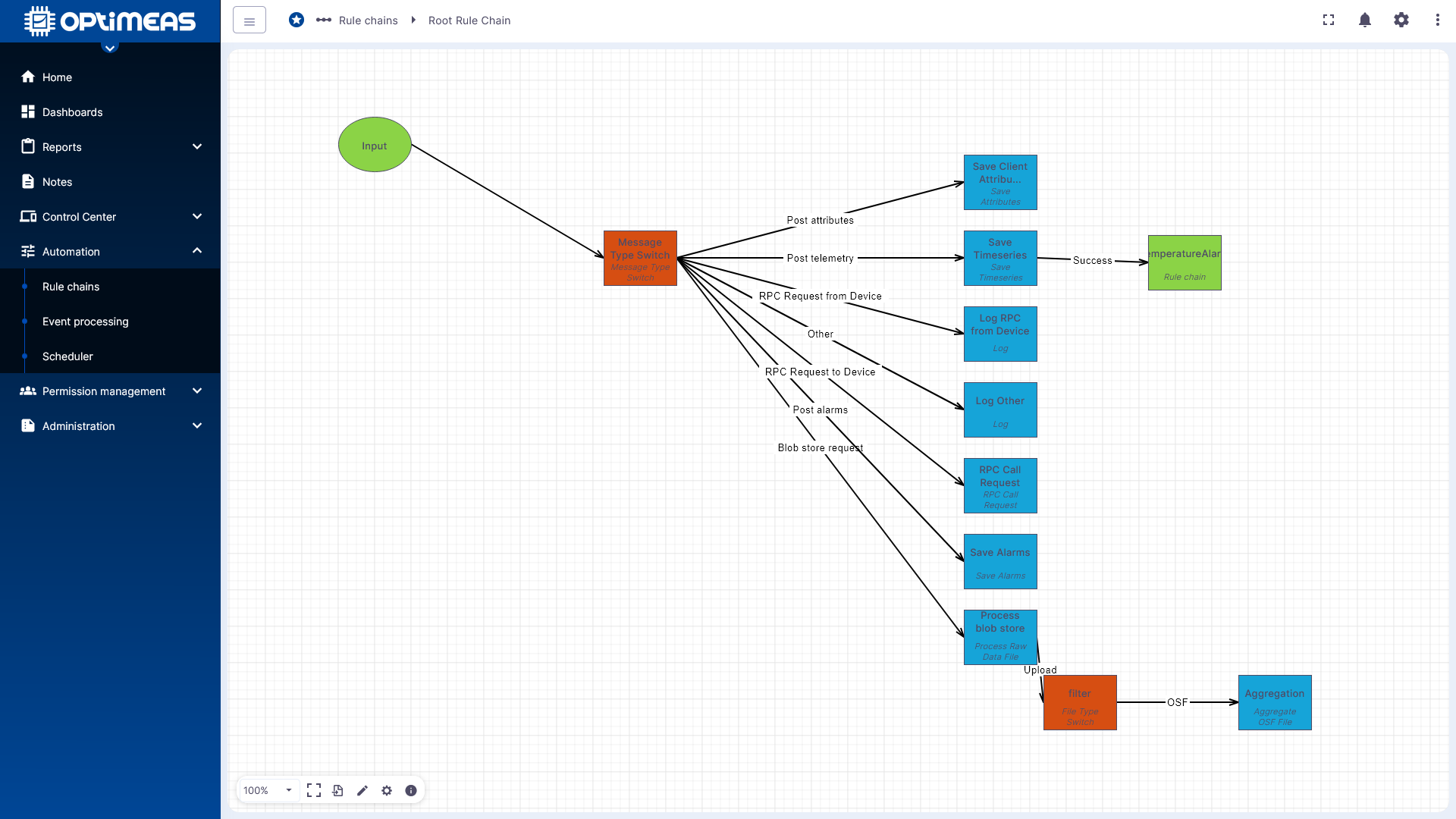
In the example shown, the created rule chain is integrated into the Root Rule Chain behind the Save Time Series path. This is necessary in this case because the temperature is sent by the device as a telemetry data channel and thus enters the Rule Engine via the telemetry path. It is integrated behind the Save Time Series node so as not to interrupt normal basic processing. The following now applies:
Device sends "Temperature" -> "Temperature" is processed normally and stored in the database -> After being stored in the database, "Temperature" is forwarded to the AlarmEvaluationRule.
Only through this integration does the created logic take effect in the running system.
Result
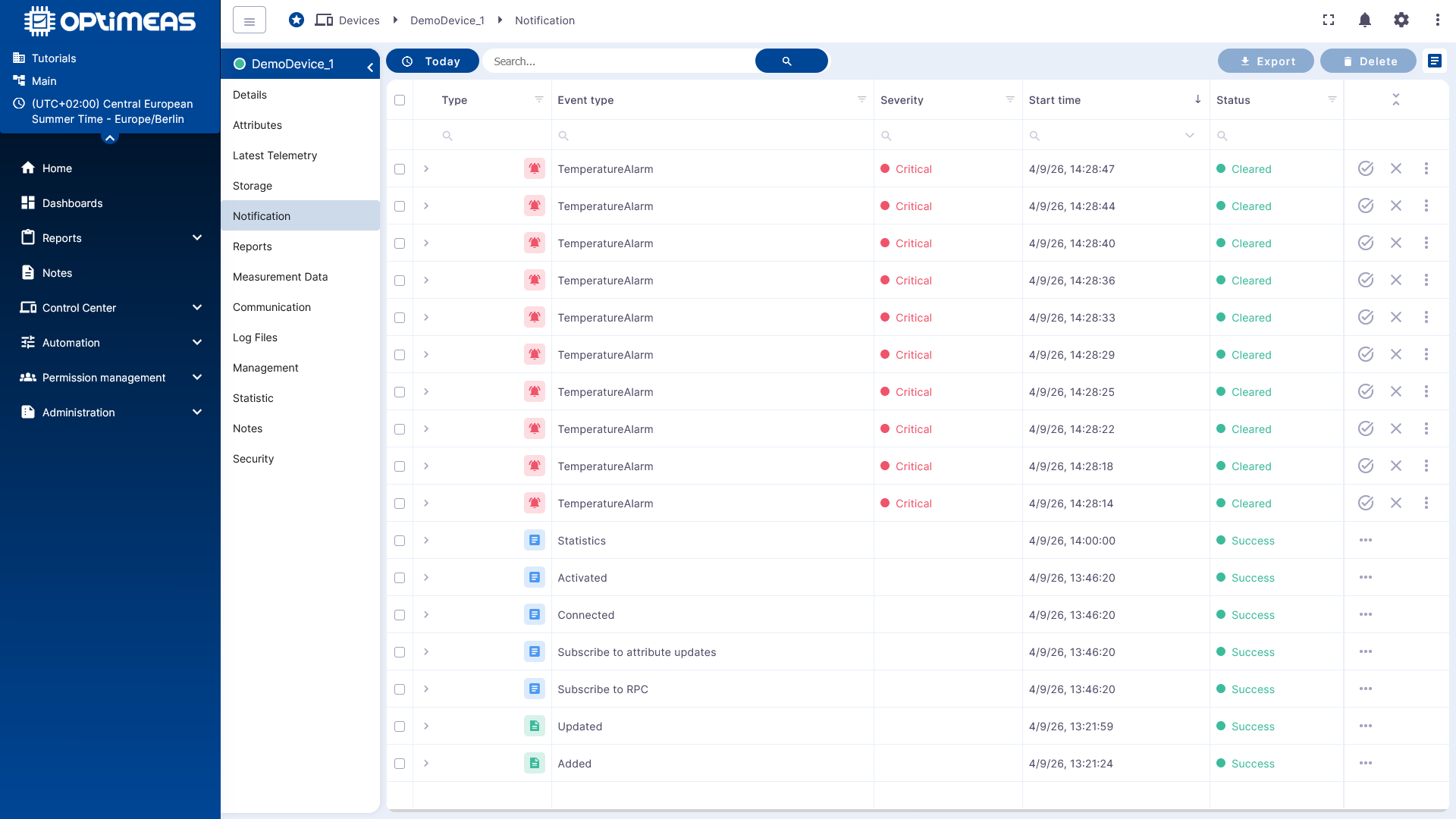
After saving and activating, the rule works as intended:
- Temperature above 5 °C triggers an alarm
- Temperature at 5 °C or below clears the alarm
Context
This example shows a deliberately simple rule chain, but already contains the most important basic patterns:
- Input filter
- Data validation
- Conditional logic
- Different paths for True and False
- Action based on the result
On this basis, more complex rulechains can also be built, for example for:
- Multi-level alerting
- Notifications via email or other channels
- Integration of external APIs
- Combination of multiple device or data conditions
Back to the general introduction: